Speak. Paste. Done.
A free Mac alternative to subscription dictation apps. Hold a hotkey, talk, release. Whisper and Parakeet run entirely on your Mac. No cloud, no accounts, no audio leaves your machine.
 Slack
Slack
 Messages
 Mail
Mail
 VS Code
 Notion
 Notes
Notes
 Linear
 Chrome
 Xcode
Xcode
 Terminal
Mac now. Windows next.
Voixe is live for Apple Silicon Macs today. A Windows app is already in progress and planned for the next few days, with the same core promise: quick dictation that stays focused on the workflow.
Want Windows access and release notes?
Download stays open and free. Leave your email only if you want launch updates, new builds, and useful release notes.
Built for dictation, not surveillance.
Voixe is a single hotkey, on-device models, and a strict rule: your voice never leaves the machine. Everything else is a polish layer on top.
On-device transcription
Whisper and Parakeet run via Core ML on Apple Silicon. The audio is processed locally; there is no server to send it to.
One hotkey, every app
Default is Option. Hold-to-talk or double-tap-to-toggle. Works in Slack, Notes, Xcode, Mail. Wherever the cursor is, the text appears.
Punctuation, two ways
Pause naturally and the model adds the commas. Or say "comma", "question mark", "new paragraph" out loud. Voixe ships with the full Apple Dictation vocabulary pre-wired.
Local Refine pass
Like the cleanup layer people love in Whisper Flow: a local LLM removes fillers, fixes punctuation, follows spoken commands, and matches the tone of the active app. Included free.
Multilingual by default
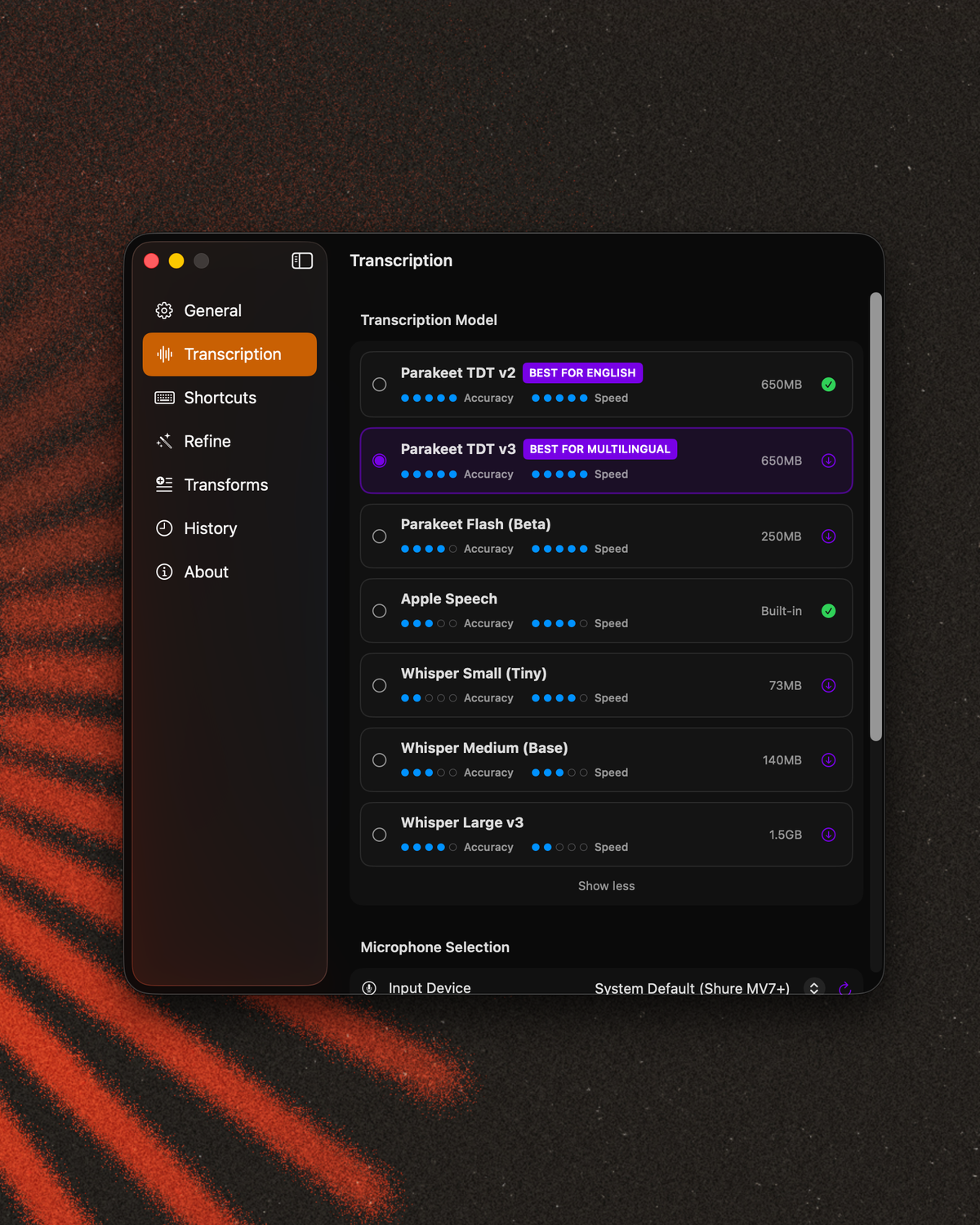
Parakeet TDT v3 covers 25+ languages out of the box. Whisper Large v3 if you need the long tail. Switch in two clicks.
Faster than typing
Sub-100ms transcription latency on M-series Macs. By the time you release the hotkey, the text is already pasted.
Designed for people who think faster than they type.
Press, speak, release.
One muscle memory. The waveform tells you it's listening. Releasing pastes wherever the cursor was when you pressed.
Refine reads what you meant.
Opt in to a tiny local LLM. It strips fillers and matches the register of the app you're typing into. Off by default. Your call.
Your voice stays here.
No network call. No upload. No optional toggle in some buried setting. The audio is a temporary file that exists long enough to transcribe and then it's gone.
Pick your model.
Start instantly with built-in Apple Speech, no download. Parakeet is the fast, multilingual default; Whisper Large is state-of-the-art on hard audio. Swap them in Settings.
All-day Mac dictation, without the subscription.
If you found Voixe while comparing Wispr Flow, Whisper Flow, Superwhisper, or Spokenly, this is the short version: Voixe is Mac-first, private, and 100% free.
 Voixe
Voixe
- On-device transcription with Parakeet and Whisper models.
- Local Refine cleans filler words, punctuation, and tone like a Whisper Flow-style polish pass.
- No account, BYOK setup, cloud workspace, usage cap, or paid pro tier.
- Hold-to-talk and double-tap recording built for daily Mac work.
- Built by Enginecy as a public proof of useful AI product engineering.
- Often optimized for cross-platform use, agents, commands, and broader workflows.
- Free tiers can be useful, but advanced features may depend on Pro plans or API keys.
- More surface area if you want mobile, Windows, file transcription, or automation modes.
- Best when you want a general voice layer, not a tiny Mac dictation tool.
- Free and already on every Mac.
- Great for short bursts with no extra setup.
- Less control over models, hotkey behavior, and post-processing.
- Not designed as a focused workflow tool for power users.
One hotkey. Four quiet moves.
Drag Voixe to Applications.
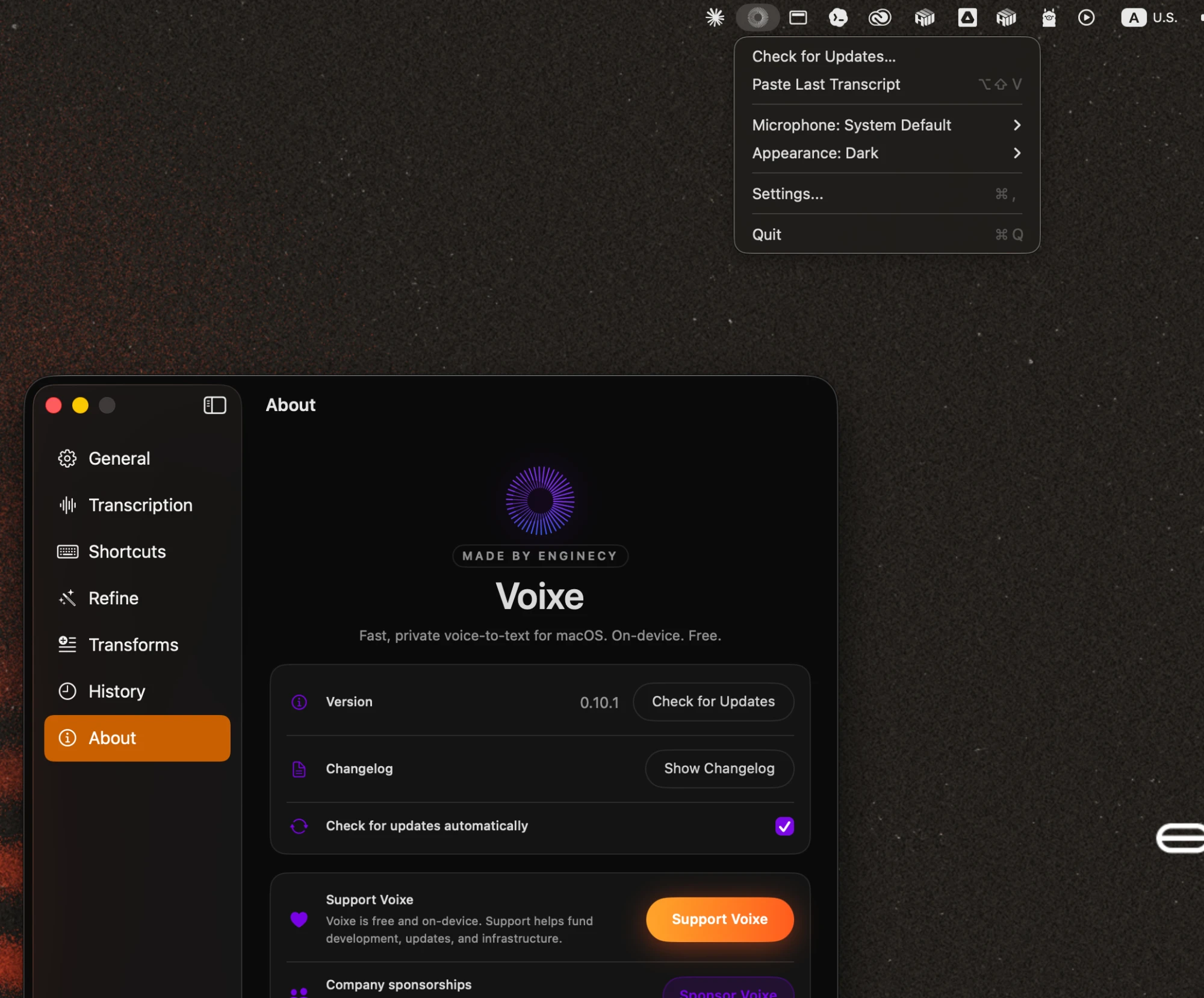
Download the notarized DMG, move Voixe into Applications, and launch it from your menu bar.
Grant only what the workflow needs.
Microphone captures your voice. Input Monitoring hears the hotkey. Accessibility pastes the final text.
Hold Option and talk.
Press and hold for quick capture, or double-tap to lock recording while you think out loud.
Release. Voixe pastes.
Parakeet or Whisper transcribes locally, optional Refine cleans it up, and the text lands at your cursor.
Questions people actually ask.
Is the audio really not uploaded anywhere?
voixe.enginecy.io/appcast.xml). Both are opt-out-able.
Why does Voixe need Input Monitoring?
Which Macs does it run on?
How is this different from macOS's built-in dictation?
Is Voixe really free?
Is Voixe a free alternative to Whisper Flow or Wispr Flow?
How is Voixe different from Spokenly?
What is the "Refine" pass exactly?
Voixe is the demo. Your workflow is the work.
Voixe shows how we build at Enginecy: find the repetitive work, design the smallest useful workflow, then ship the product-grade AI around it.
For business owners, that becomes custom software, AI agents, and automations that remove manual steps without adding another dashboard nobody wants to use.